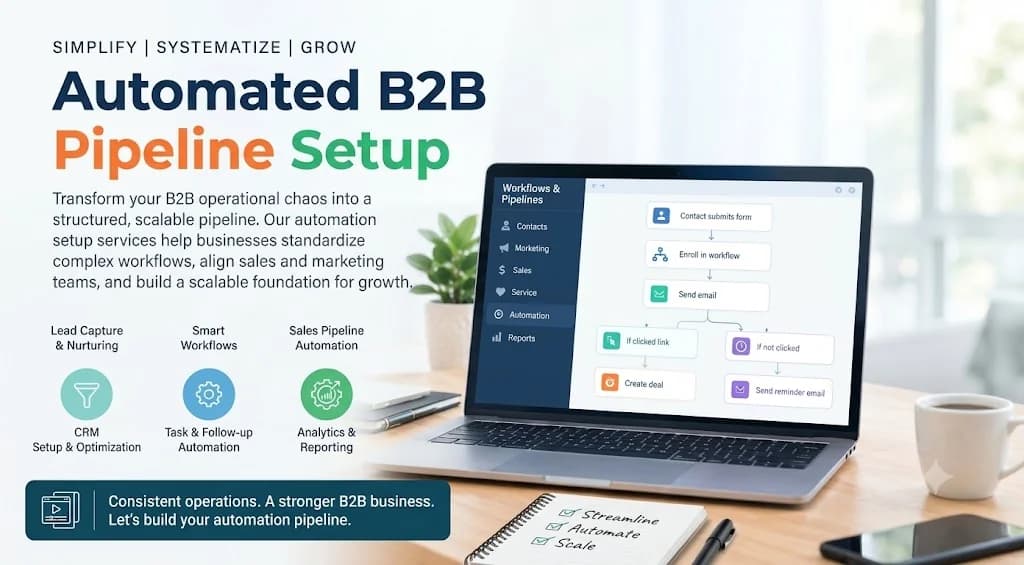
Introduction: Architecting B2B HubSpot Workflows
Automating your B2B revenue engine isn't just about sending automated email blasts—it is an architectural challenge. When building a HubSpot engine for B2B tech platforms, your workflows must handle complex deal cycles, multiple decision-makers, and strict data validation across integrated systems. A flawed setup leads to race conditions, dirty CRM data, and broken lead routing.
Whether you are bridging your SaaS product database with HubSpot using custom APIs or setting up standard lifecycle automation, approach your workflow configuration like code. Every branch needs logic, every property requires schema discipline, and every trigger must be deterministic. Here is how to configure a high-precision HubSpot automation stack for B2B operations.
1. Standardize Data Architecture and Custom Triggers
Before writing single workflow logic, establish your data schema. In B2B environments, default HubSpot properties rarely cover full operational requirements. You need structured properties that act as reliable variables.
- Custom Properties: Normalize field values (e.g., dropdowns instead of free text) to keep data predictable for workflow triggers.
- Custom Objects & Schemas: Use HubSpot Custom Objects for complex B2B relational data, such as subscriptions, usage metrics, or active account tiers.
- Webhook & API Integration: Trigger workflows dynamically using HubSpot Custom Behavioral Events or inbound webhooks from your product backend.
Enforce strict validation on incoming form submissions. Using custom client-side validation or backend API checks before passing data via the HubSpot Forms API prevents invalid email domains and bot submissions from cluttering your pipeline.
2. Implementing Advanced Lead Routing and Lifecycle Management
Lead assignment and lifecycle transitions are where business logic usually breaks. B2B automation requires multi-branch logic to ensure MQLs reach the correct Account Executive (AE) instantly without silent failures.
Key strategies for reliable execution include:
- Deterministic Lifecycle Rules: Set explicit workflow conditions for transitioning Contacts and Companies from Lead to MQL, SQL, and Opportunity. Never rely on manual property edits.
- Territory & Account-Based Assignment: Route leads based on custom rules (e.g., employee count, region, or tech stack). Use round-robin actions with automated fallback steps if an AE is unavailable or inactive.
- If/Then Branching Discipline: Avoid nested branches deeper than three levels. Deeply nested workflows are hard to debug. Split complex logic into sub-workflows using the enrollment in another workflow action.
- Re-enrollment Guardrails: Explicitly define re-enrollment criteria. Prevent contacts from looping continuously through email sequences or notification triggers by using suppressions and delay timers.
3. Monitoring, Error Handling, and Workflow Debugging
No automation system is bulletproof. API rate limits, third-party webhook failures, and unexpected user inputs will happen. To keep your B2B pipeline clean, build monitoring directly into your hub.
- Exception Handling Workflows: Create an Error Catch workflow. If a contact enters an unexpected lifecycle state or misses required fields, flag them immediately and alert your RevOps admin via Slack or internal notification.
- Unenrollment & Suppression Lists: Maintain explicit unenrollment criteria (e.g., hard bounces, churned accounts, active deal stage changes) across all sequences.
- Audit Logs and Performance Logs: Frequently monitor workflow history tabs to detect execution delays, API throttles, or failed integration webhooks.
Conclusion & Next Steps: Scaling Your HubSpot Engine
Building a robust B2B HubSpot automation stack requires treating your CRM configuration like software development. Prioritize clean data architecture, modular workflow logic, and robust error checking to build a reliable RevOps infrastructure that scales effortlessly.
Ready to upgrade your B2B automation pipeline or integrate your product stack directly with HubSpot? Audit your current workflows today, clean up legacy triggers, and start building modular automation built for long-term growth.
